 Ali Kamaly
Keysight BenchVue Alternatives in 2026 (And Where BenchVue Still Wins)
What BenchVue does, what the licenses cost, where it stops on mixed-vendor benches, and the vendor-neutral alternatives.
The short answer: Keysight BenchVue is free to download and genuinely useful for controlling supported Keysight bench instruments from a PC, and the best alternatives in 2026 are Python with pyVISA (free, vendor-neutral, code-first) and TestFlow (AI-native, vendor-neutral, no code). BenchVue's limits show up when your bench mixes vendors or your team needs to share and version automation.
If you run Keysight bench instruments, you have almost certainly hit the Keysight BenchVue download page. This guide covers what BenchVue does well, what it costs once you need the paid features, where it stops, and how to choose a replacement when you outgrow it.
What Keysight BenchVue actually does
BenchVue is a desktop application made of per-instrument "apps." You connect a supported instrument over USB, LAN, or GPIB, and BenchVue gives you a software front panel for it. The common workflows are:
- •Instrument control from a PC screen instead of the front panel.
- •Data logging from multimeters, DAQ units, and power supplies.
- •Sequencing through the BenchVue Test Flow app, which lets you chain measurement steps with simple logic.
- •Export to CSV, Excel, MATLAB, and Word for reporting.
The per-instrument apps cover the common bench families: digital multimeters like the 34461A and 34465A, DAQ970A-family data acquisition units, power supplies like the E36313A, function generators like the 33600A series, oscilloscopes, and spectrum analyzers.
For a single-vendor Keysight bench, BenchVue removes a lot of manual front-panel work. That is the appeal, and it is real.
What BenchVue costs
The BenchVue download itself is free, and basic instrument control is included. The catch is that most of the productivity features sit behind paid licenses. Logging duration, advanced sequencing, automation, and several per-app capabilities require a BenchVue license per application area. So the honest answer to "is BenchVue free" is: free to start, paid to do real work.
Where BenchVue stops
Three limits show up fast in a working lab:
- 1
It is Keysight-first. BenchVue is built to drive Keysight instruments. The moment your bench includes a Tektronix scope, a Rohde and Schwarz analyzer, or an older non-Keysight supply, BenchVue is no longer the single control layer. For scope automation specifically, see how engineers automate a Tektronix oscilloscope with Python.
- 2
It runs on one PC. BenchVue is a local desktop tool. Sharing a test sequence, version-controlling it, or handing it to another engineer in another lab is manual.
- 3
Click-built sequences hit a ceiling. Test Flow app sequences are fine for chained measurements, but parameter sweeps with conditional logic, multi-instrument synchronization, and integration with your data pipeline push you toward real automation, either code or an agent.
The BenchVue alternatives in 2026
Python + pyVISA (free, code-first). The vendor-neutral default. pyVISA speaks SCPI to Keysight, Tektronix, Rigol, and everything else over USB, LAN, or GPIB, through the same Keysight IO Libraries you already have installed. You get Git versioning and unlimited flexibility, and you write and maintain every script. Our data acquisition with Python guide shows the pattern.
Vendor software from each brand. Tektronix, Rigol, and Rohde and Schwarz each ship their own BenchVue-equivalent. This works, and it leaves you running three control apps that do not talk to each other.
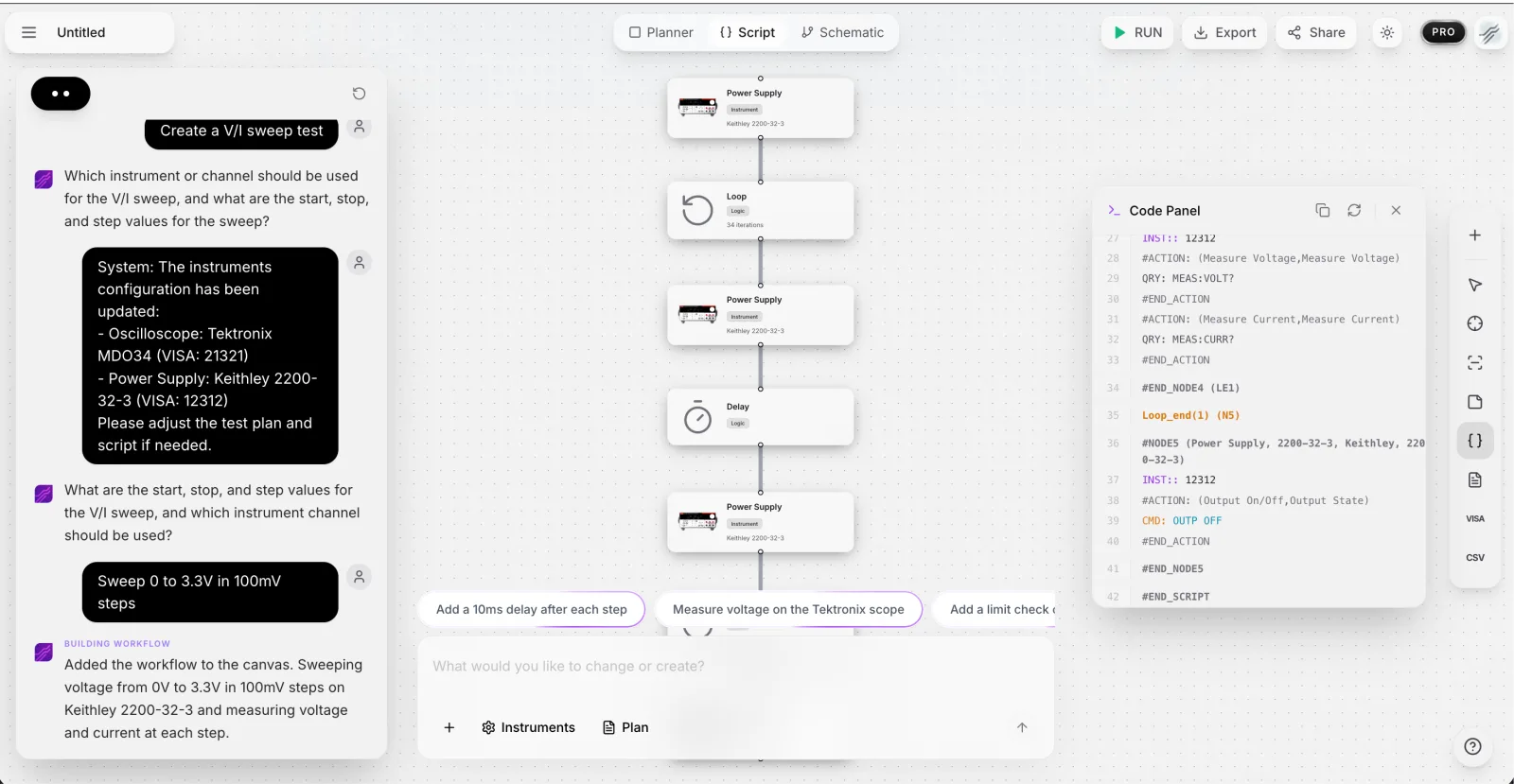
TestFlow (AI-native, vendor-neutral). TestFlow is built for the bench BenchVue cannot fully cover: mixed-vendor, shared across a team, and driven from a plain-English request instead of a front panel.
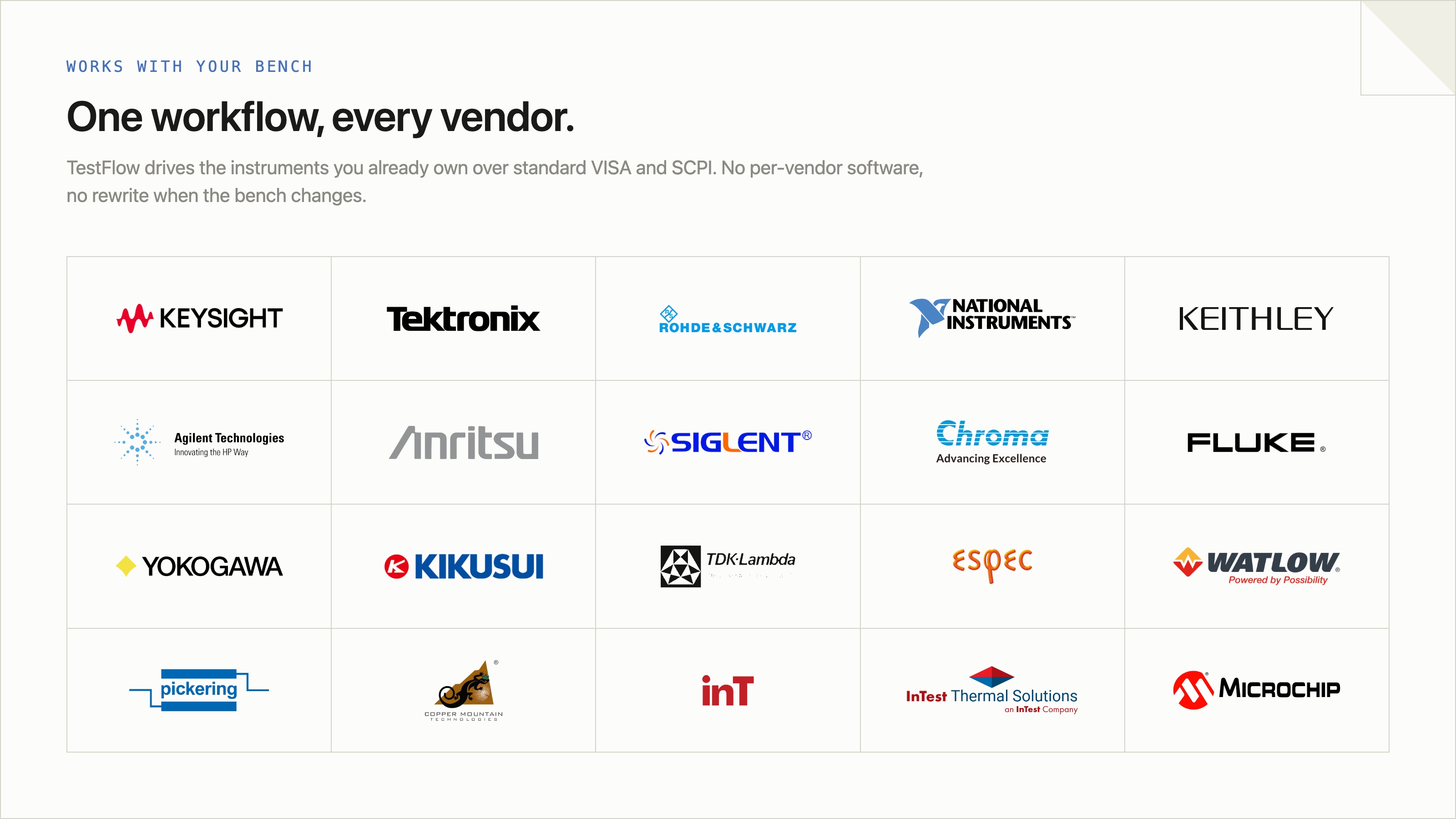
- •Multi-vendor by design. TestFlow speaks SCPI to instruments from any vendor, so a Keysight DMM, a Tektronix scope, and a third-party power supply live in the same workflow. You add an instrument by picking the manufacturer and model and pasting its VISA address (USB, LAN, GPIB, or serial).
- •Plain English to automation. Connect your instruments, tell the agent what you want to test, and it generates the complete automation scripts and workflow in seconds, visible on a canvas with the generated code in a side panel.
- •Browser-based and shareable. Workflows live in the browser, so a sequence you build in one lab runs the same way in another.
- •Real reporting, not just export. Runs stream results step by step with measured values inline, then one click generates a structured PDF report (or raw CSV). BenchVue stops at CSV/Excel export; this is the report your team actually reviews.
- •No lock-in on execution. Instrument runs use the TestFlow desktop runner, so you are never trapped in one vendor's software stack.
BenchVue vs TestFlow, head to head
| Keysight BenchVue | TestFlow | |
|---|---|---|
| Vendors | Keysight instruments | Any vendor (SCPI) |
| Cost | Free + paid per-app licenses | Free version, paid plans |
| How you build | Click through app panels | Describe the test in plain English |
| Sequencing | Test Flow app, simple chains | Full validation workflows, generated |
| Sharing | One PC, manual | Browser-based, team access |
| Reporting | CSV/Excel export | Automated analysis and PDF reports |
When to use which
Use BenchVue when your bench is all Keysight, you work on one PC, and the free features cover your logging needs. Reach for Python when you have software discipline and want full control at zero license cost. Reach for TestFlow when your bench is mixed-vendor, you want to share and version test sequences across a team, or you want to go from a plain-English request to a running validation plan in minutes instead of building each step by hand.
For the wider landscape beyond Keysight, our LabVIEW alternatives guide compares the eight realistic test automation options in 2026.
Frequently asked questions
Is Keysight BenchVue free? The download and basic instrument control are free. Most productivity features, longer logging, advanced sequencing, and automation sit behind paid per-app BenchVue licenses.
Does BenchVue work with non-Keysight instruments? Not meaningfully. BenchVue is built for supported Keysight instruments. A mixed-vendor bench needs a vendor-neutral layer such as Python with pyVISA or TestFlow.
What is the best BenchVue alternative for a mixed-vendor bench? Python with pyVISA if you want free and code-first. TestFlow if you want an AI agent that connects to instruments from any vendor and builds the automation from a plain-English request.
Does BenchVue automate test sequences? The BenchVue Test Flow app chains measurement steps with simple logic. It is useful for basic sequences but is not a full test automation framework and stays inside the Keysight ecosystem.
Try it on your own bench
You can point TestFlow at the exact instruments you already run BenchVue on. Connect them, describe the measurement you need in plain English, and run the generated workflow across any vendor on your bench.
Start free at app.testflowinc.com and turn your next test request into a running workflow in minutes.
Ready to automate your lab?
Connect your instruments, describe a test in plain English, and TestFlow builds and runs it in minutes.
Tags
Put it on your bench this week
A new way for testing, from specs to automated sequences, capture clean data, and accelerate your validation cycle.